
/news/kde-linux-adds-automatic-btrfs-snapshots-for-all-user-files-ff6ee706
KDE Linux Adds Automatic Btrfs Snapshots for All User Files
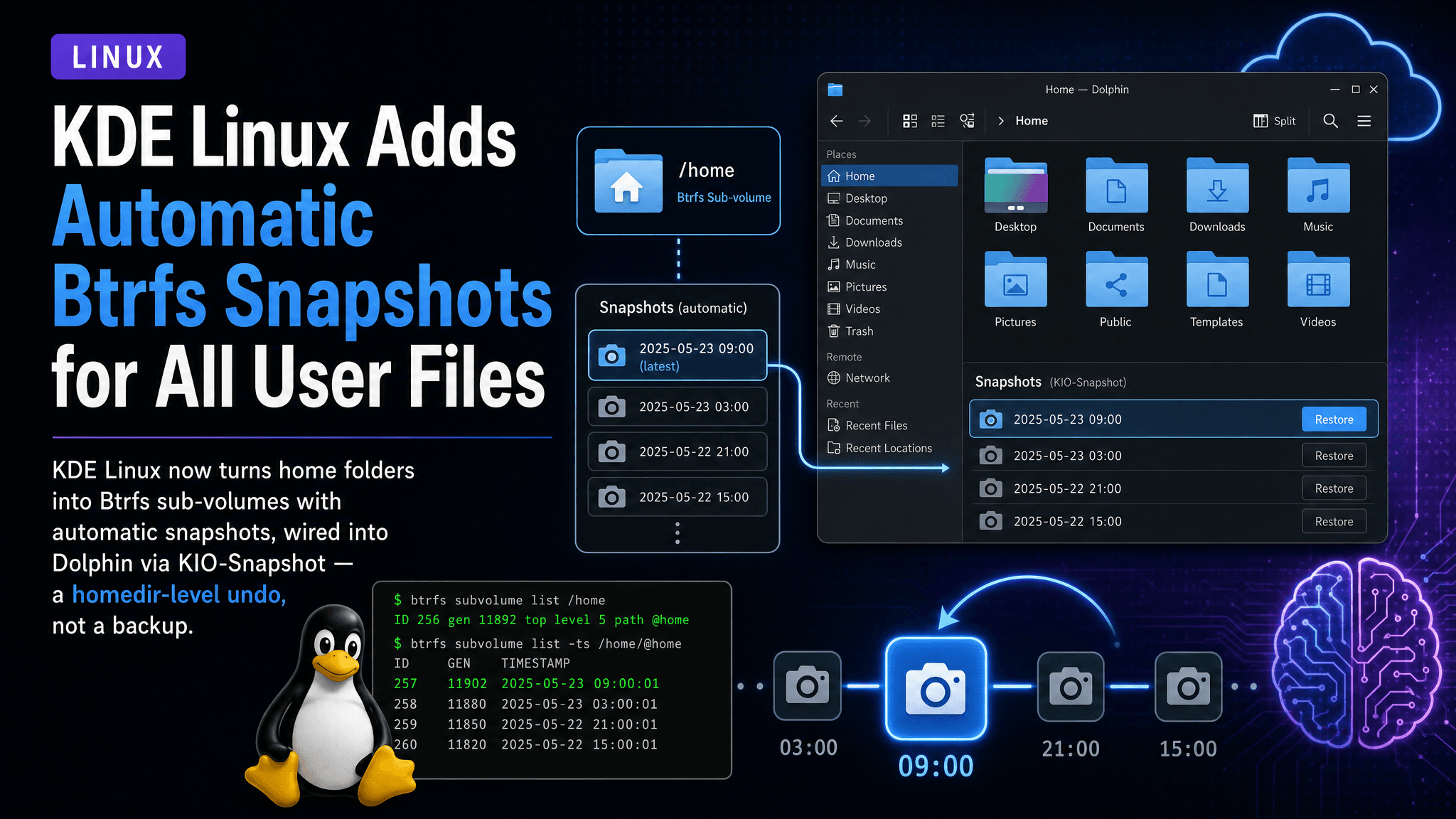
KDE Linux now turns home folders into Btrfs sub-volumes with automatic snapshots, wired into Dolphin via KIO-Snapshot — a homedir-level undo, not a backup.
KDE Linux, KDE's in-house distribution project, shipped its August 2026 status update, and the headline item is a data-safety change most users will actually notice: the OS now enables automatic Btrfs snapshots for all user files.
What actually changed
Two pieces of work landed together. Contributor Hadi Chokr restructured the filesystem layout so users' home folders are now Btrfs sub-volumes, with automatic snapshots enabled for all user files. Bharadwaj Raju integrated his kio-snapshot system and added support for it in Dolphin, KDE's file manager.
The practical result: from Dolphin you can browse and roll back to older versions of your files without touching a terminal or even knowing Snapper exists. Deleted a folder by accident, or overwrote a document? You can recover it from the snapshot view. No off-device backup required.
Under the hood, Snapper handles Btrfs snapshot management. KIO-Snapshot is the KDE-side integration layer that surfaces snapshots through KIO, so file-manager integration "just works."
Scope and limits
The KDE team is explicit that this does not replace backups. Snapshots live on the same disk as the files they protect. A disk failure, theft, or ransomware that hits the filesystem takes the snapshots with it. What this gives you is closer to a homedir-level undo — protection against accidental deletions and destructive changes, not hardware loss.
Anyone running backup tooling gets a side benefit. Snapshots provide a stable, point-in-time view of the home directory, so backup software is not working against a moving target while files churn underneath.
Why sub-volumes matter
The home-as-subvolume detail is the load-bearing part of this change. Btrfs snapshots are per-subvolume, so keeping user data in its own subvolume means you can snapshot your files without dragging along the immutable OS image. That distinction matters because KDE Linux follows an image-based model for the base system. It also confines snapshot churn to where user writes actually happen, keeping snapshot storage costs predictable.
The rest of August
Chinese, Japanese, Korean, and Vietnamese (CJKV) text input now works out of the box. Nate Graham finished the project so all required input components ship pre-installed and only need enabling.
On the security side, Yago Raña Gayoso removed an unnecessary override that granted everyone in the wheel group default access to the Docker daemon socket. That was a real, if narrow, privilege-escalation path, since Docker socket access effectively means root. Nate Graham also fixed an oversight that allowed blacklisted kernel modules into the unified kernel images.
QA work paid off. Thomas Duckworth and Bhushan Shah continued refining KDE Linux's automatic QA system, which caught multiple complex integration bugs introduced in commits to KDE software — bugs that were fixed before reaching users of other distributions.
Smaller items include more granular installer progress reporting, a fix for update failures on weak CPUs or slow connections, removal of the near-useless "UEFI shell" bootloader entry, and documentation work covering disk-space cleanup and a Help & Support page.
Where the project stands
KDE Linux is now 85% of the way to its Beta milestone. The project continues to request help with user support, issue reporting, documentation merge requests, Flatpak packaging fixes, and OS development.
What it means in practice
For KDE Linux users, accidental file loss just got much cheaper to fix — rollback is now a couple of clicks in Dolphin rather than a command-line rescue. Other distributions should watch this as a UX pattern. Btrfs snapshot infrastructure has existed for years; the default-on, GUI-integrated approach is still rare. Anyone evaluating KDE Linux should still treat this as one layer of data safety, not a substitute for backups to separate media.
Comments
Sign in or create an account to leave a comment.
0 comments
No comments yet.