
/news/kubernetes-v1-37-brings-pod-certificates-and-cluster-trust-bundles-9f1b87ed
Kubernetes v1.37 Brings Pod Certificates and Cluster Trust Bundles
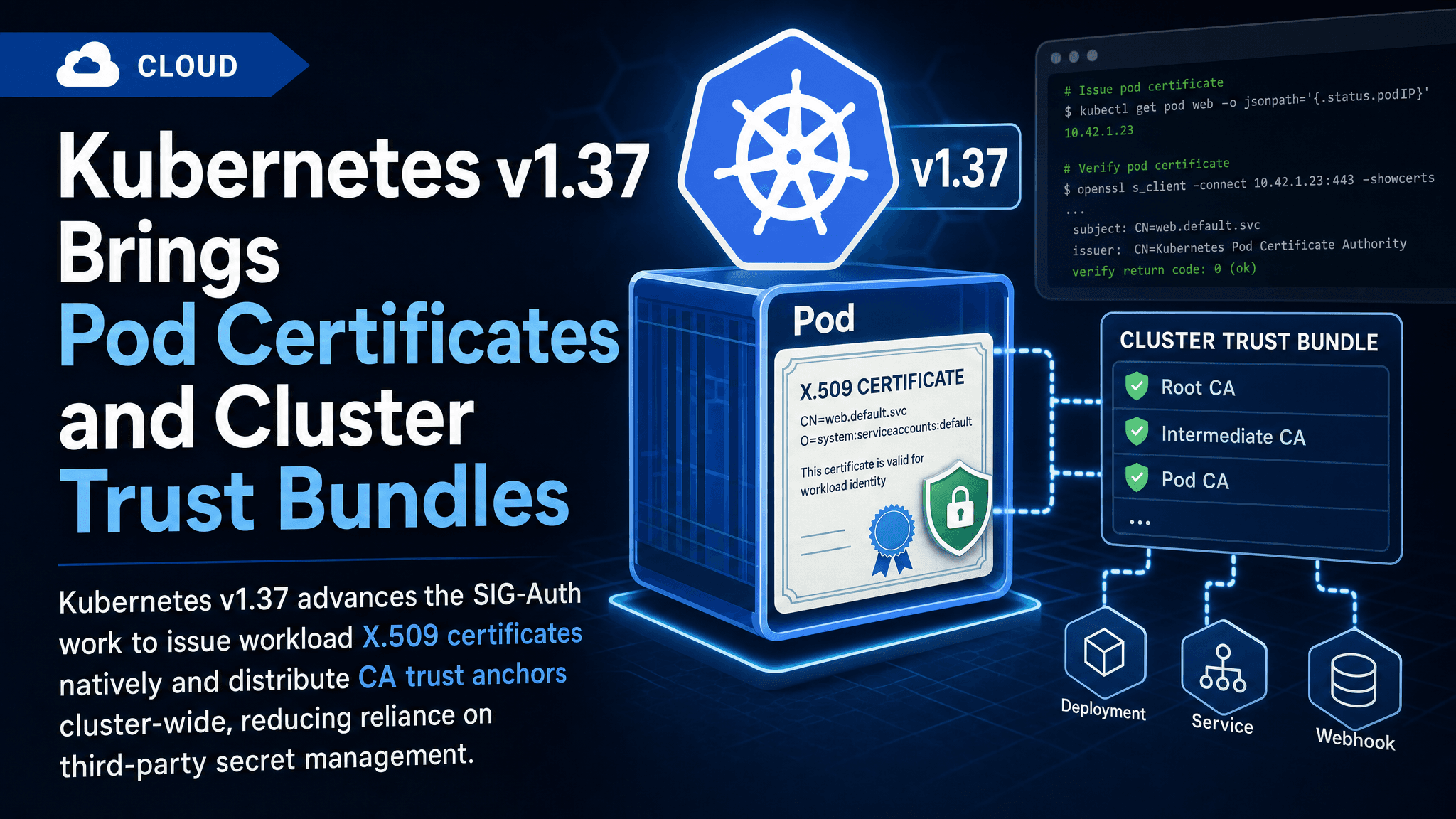
Kubernetes v1.37 advances the SIG-Auth work to issue workload X.509 certificates natively and distribute CA trust anchors cluster-wide, reducing reliance on third-party secret management.
Kubernetes v1.37 ships a pair of related SIG-Auth enhancements aimed at a long-standing gap: workloads that need X.509 certificates have historically had to bolt on a solution like cert-manager, Vault agent injection, or custom sidecars that talk to a certificate authority. The v1.37 release blog post covers Pod Certificates (KEP-740) and Cluster Trust Bundles (KEP-3257), two APIs that together give clusters a native path from key generation to certificate issuance to trust anchor distribution.
Why in-tree certificate issuance matters
The only native credential Kubernetes projects into pods today is the ServiceAccount token. That is fine for authenticating to the Kubernetes API and to anything that understands OpenID Connect, but a large share of the software world still expects TLS client and server certificates backed by a conventional PKI. Databases with ssl-cert options, mTLS service meshes, webhook servers, and internal gRPC services all want an X.509 cert plus a private key, plus the CA's root certificate in a file somewhere.
The usual answers are projects like cert-manager, which watches Certificate resources and writes Secrets, or per-stack init containers and agents. Those work, but they add a controller to install, a CRD family to learn, and a rotation story to wire into every workload. The v1.37 features move the common denominator into the core API.
Pod Certificates: kubelet-orchestrated issuance
The Pod Certificates work (KEP-740) introduces a new API type, PodCertificateRequest, and a projected volume source that uses it. The flow works like this:
- A pod spec projects a certificate credential via the pod certificate projection, declaring a signer name and optionally key and certificate parameters.
- The kubelet on the node generates the private key locally in the pod's context and submits a PodCertificateRequest to the API server, including the pod's identity information and a PKCS#10 certificate signing request.
- A signer controller on the cluster side — which must implement the documented signer interface — validates the request, signs the certificate, and stores the issued chain back on the request object.
- The kubelet materialises the key and certificate chain into the projected volume inside the pod. The private key never leaves the node, and the API server never sees it.
That last point is the interesting security property. Secret-based certificate delivery pushes the key through etcd and the API server; pod certificates keep the key material on the node that owns the pod. Rotation is handled by the kubelet re-issuing before expiry, and access control follows the usual RBAC model — signers are named, and permissions to use or sign for a given signer are bound with Roles.
Kubernetes itself does not ship a CA. The signer name indirection means you plug in whichever issuance backend you run — a SPIFFE-compatible authority, your organisation's CA connector, or a small in-cluster signer controller. You must run or install a signer controller for this to do anything.
ClusterTrustBundle: distributing the anchors
Issued certificates are only useful if clients can validate them, and until now there was no standard way to get a CA bundle into every pod without hand-rolling a ConfigMap convention.
KEP-3257 adds the ClusterTrustBundle object, a cluster-scoped resource containing a PEM trust bundle. It comes in two flavours: named bundles, which you create and manage yourself for a private CA, and well-known signers, using the same signer naming scheme as pod certificates. A ClusterTrustBundle projected volume source mounts the bundle as a PEM file into pods, and the kubelet keeps the file refreshed as the object changes — so a root rotation propagates without restarting workloads that re-read the file.
One well-known bundle is the kubernetes.io/kube-apiserver-serving signer path, which publishes the cluster's own API server serving certificate chain. That gives in-cluster clients a supported way to verify the Kubernetes API without shipping the CA cert out-of-band.
How they fit together
The two features are deliberately composable. ClusterTrustBundle alone can distribute trust anchors for certificates issued by any system, including cert-manager or your mesh. Pod certificates stand on their own too, if your application already embeds its trust store. Together they form a complete native PKI story: kubelet-managed keys with signer-based issuance and cluster-wide anchor distribution, no sidecars required, and no Secrets holding private keys.
Caveats before you rip out cert-manager
The usual early-stage caveats apply. These features have progressed through alpha behind feature gates, and exact maturity levels and defaults in v1.37 should be confirmed against the feature gates page and the release notes for your distribution — managed offerings often lag upstream gating. You also still need to run a signer controller; Kubernetes provides the plumbing, not a CA. And anything mounting these projections needs RBAC set up for the relevant signers.
What this means in practice
For platform teams, v1.37 marks the point where a meaningful chunk of workload PKI can move into the cluster itself. Simple internal mTLS use cases can drop their cert-manager dependency, or at least stop using it to shuffle private keys through Secrets. The bigger long-term win is standardisation: once pods can declare "give me a cert from signer X and the anchors for signer Y," workload specs become portable across issuance backends the same way PVCs made storage pluggable. Watch which signer controllers appear in the ecosystem — that, more than the core API, will decide how quickly this gets adopted.
Comments
Sign in or create an account to leave a comment.
0 comments
No comments yet.